Review the architecture,
not just the lines.
crgraph turns any git diff into a map of what changed in the structure of your code: modules, files, classes, the dependencies between them, and the findings a reviewer should see first. It never shows code.
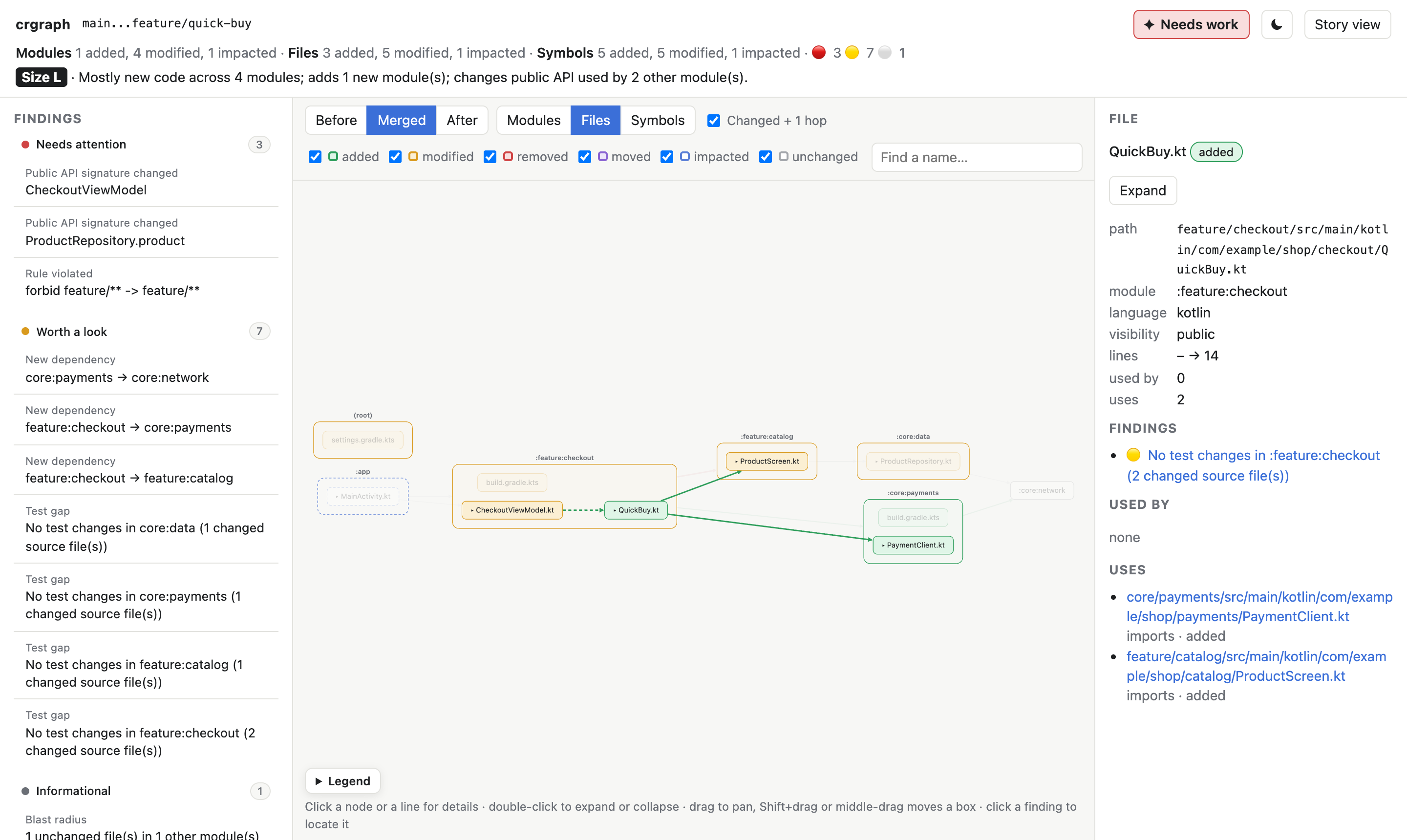
A real report for a small Kotlin app. Click it to explore the interactive version.
Same change, two views
A line diff shows what text changed. crgraph shows what the change means for the codebase.
The diff
 class CheckoutViewModel(
     private val cart: CartRepository,
+    private val quickBuy: QuickBuy,
 ) {
     fun items() = cart.items()
+    fun buyNow(id: String) = quickBuy.buy(id, 1999)
 }
-    fun product(id: String): String
+    fun product(id: String, currency: String): String
 … 6 more files
crgraph
:feature:checkoutnow depends on:feature:catalogand breaks the rule that features stay independentProductRepository.productchanged its signature; 2 other modules call it- a new module
:core:payments - 4 modules changed code without touching their tests
What you get
One command, three outputs: an interactive report, a Markdown summary for MR comments, and JSON for tools.
Nested graph
Modules contain files contain classes and functions. Switch between before, after and both, and go from modules down to symbols.
Review findings
New cycles, broken layering rules, API changes used elsewhere, new dependencies, complexity jumps, test gaps and contract files.
Where to start
A verdict, a review size from S to XL, a per-module table, and the five files to read first, each with its reasons.
Click to trace
Click a box to highlight everything it connects to. Click a line to see which code creates that dependency.
Ready for CI
Exit codes for red or yellow findings, a summary for GitHub and GitLab, and rules in .crgraph.yml read from the base revision.
AI architecture review
With --explain, a model gives a verdict on the change and checks coupling, SOLID, DRY and testability against the facts in the graph.
Local and private
No server and no build. The report holds names, paths, signatures and metrics, never source code.
An architecture verdict
Add --explain and a model reviews the change like an architect would: Good,
Acceptable or Needs work, then architecture, coupling and cohesion, SOLID, DRY, testability and API
compatibility, each based on names and numbers from the change. It sees the structure, never the code, and works
with the Anthropic API or your own LLM proxy.
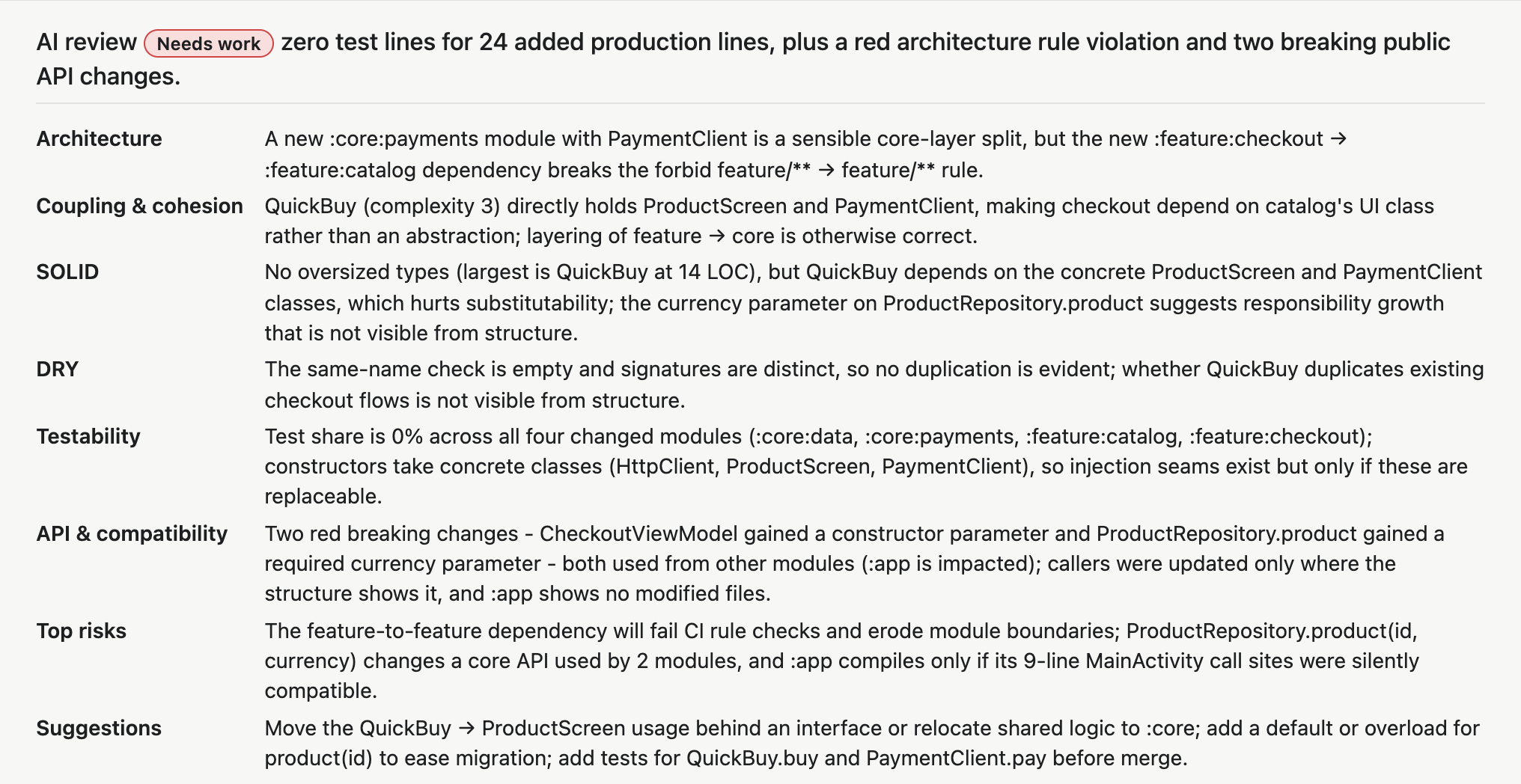
The review --explain wrote for the demo change. In the report, the ✦ verdict button opens it.
A story you can read
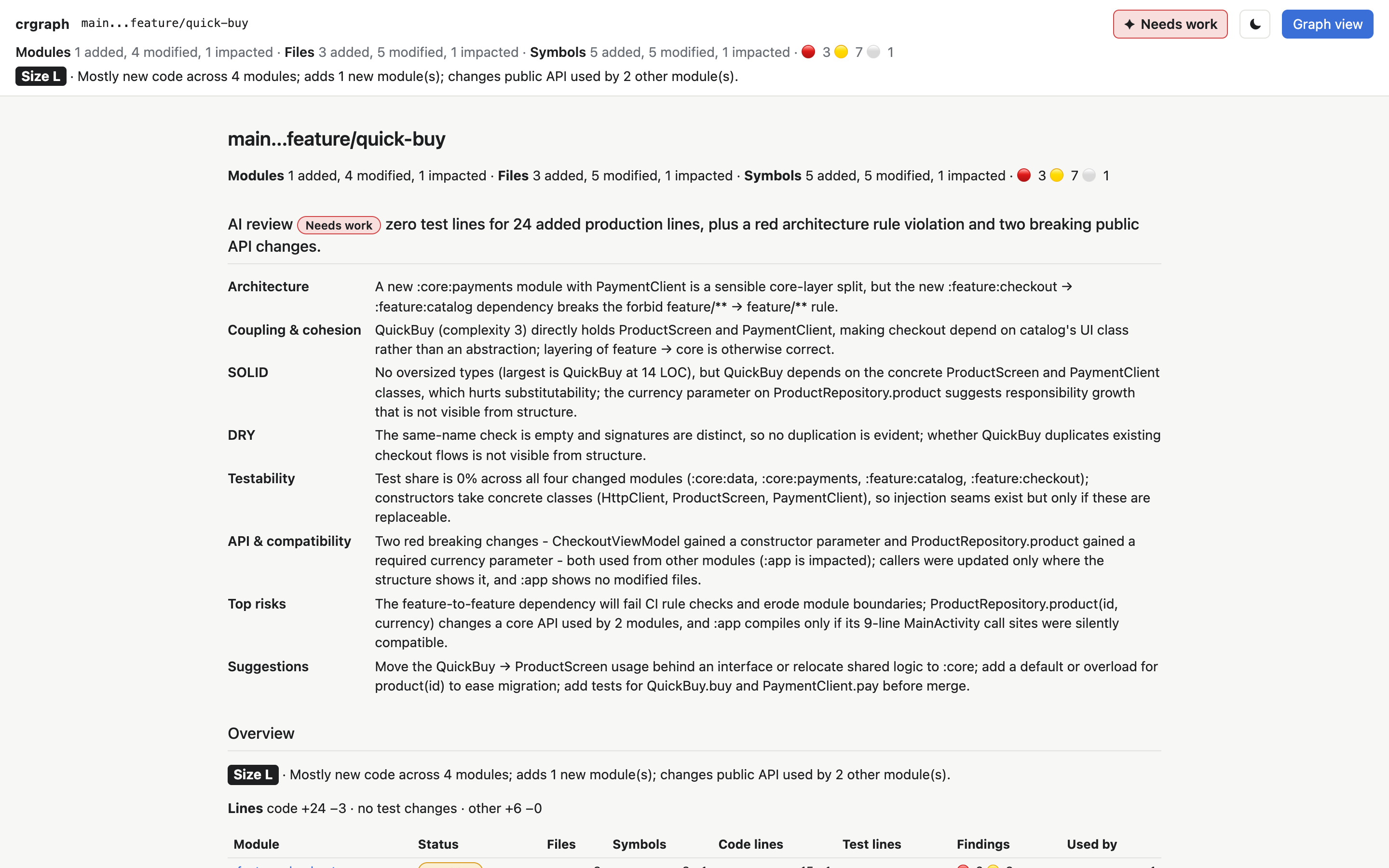
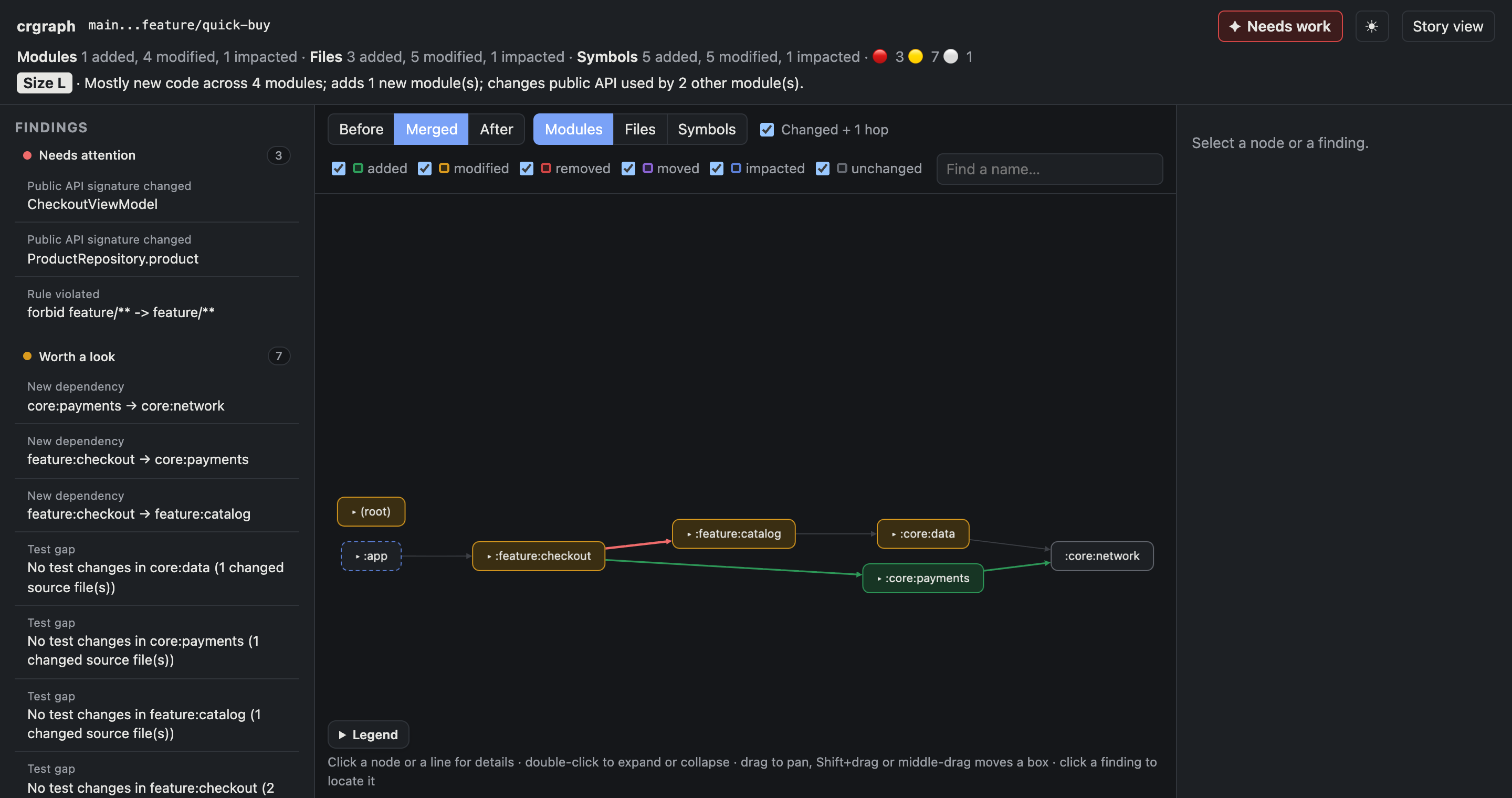
The story view lays out the whole change on one printable page, and both views follow your light or dark theme.
Install
Needs Python 3.11+ and git. Install it as a command with uv or pipx, then run it in any repository.
uv tool install git+https://github.com/lukisk/crgraph   # or: pipx install git+…

crgraph main...feature     # what a merge request shows
crgraph                    # your uncommitted changes
crgraph main...feature -g  # write report.html, summary.md and delta.json for CI
Supported languages, with modules taken from their build files:
Ranges, CI setup, configuration and every finding are documented in the README.